Web hosting, SSL and security for business websites
Hosting, HTTPS, DNS and backups are the foundation under every website. Tooba Web sets them up properly and tells you plainly what you own.
Web hosting, SSL and security setup means choosing where your site runs, enabling an HTTPS certificate, configuring DNS, scheduling backups, hardening the basics and monitoring availability. Tooba Web does this remotely from Istanbul. The domain, hosting account and certificate stay in your name, and we promise no uptime figure.
Last updated:
How should a business choose web hosting?
The right hosting is the one that fits your site's size, software and audience, not the one with the longest feature list. A brochure site and a busy booking system need different things.
- Server location. A server near your visitors usually responds faster. If most customers are in the UAE or the Gulf, ask where the data centre is.
- Software support. The host must run the language and database your site needs.
- Backups. Check whether they are included, how often they run and where copies are stored.
- Resources and scaling. Ask what happens if traffic grows.
- Support. Find out how to reach the provider when something breaks and what hours they cover.
- Exit. You should be able to download your files and database and move.
Data-protection rules can affect where certain data may be stored. Confirm what applies to your sector with the relevant authority or a lawyer.
What is SSL, and why does a site need HTTPS?
SSL, strictly TLS, is the technology that encrypts the connection between a visitor's browser and your server, shown as HTTPS and a padlock. Without it, browsers warn visitors that the site is not secure, and information typed into forms can be read in transit.
We install a certificate, redirect all HTTP addresses to HTTPS, fix mixed content such as images still loading over HTTP, and set up automatic renewal where the provider allows it. Certificates expire, and an expired one shows visitors a full-page warning, so renewal is part of what we check. HTTPS protects the connection, not the whole site; it does not make the site free of other weaknesses.
What does DNS have to do with it?
DNS is the system that turns your domain name into the address of your server, and into where your email goes. A wrong record can take a site or its email offline.
| Record | Purpose |
|---|---|
| A or AAAA | Points the domain to the server's address |
| CNAME | Points one name, such as www, to another name |
| MX | Says which service receives your email |
| TXT | Holds verification and email-authentication entries such as SPF and DKIM |
We list your current records before changing anything and keep a copy, so a mistake can be reversed. Changes can take time to spread across the internet, so we plan them for quiet hours.
What backups and security basics do we set up?
A backup is only useful if it is recent, stored away from the site and tested by restoring it. Basic security means removing the easy ways in, not building an impenetrable wall.
- Automatic backups of files and database, with copies stored outside the web server.
- A test restore, so you know the backup works.
- Strong, unique logins, two-step verification where offered, and no shared passwords.
- Software and plugins kept current, with unused ones removed.
- Limited login attempts and protected admin areas.
- Security headers and file permissions set sensibly.
No site can be made completely safe. These steps lower the risk and shorten recovery, and we are honest that incidents can still happen.
How is uptime monitored?
Uptime monitoring means an outside service checks your site at regular intervals and alerts someone when it fails to respond. It tells you about a problem sooner than a customer's complaint would.
We set up checks on the main page and key forms, certificate expiry alerts and a notification route to you and to us on WhatsApp or email. Monitoring detects outages; it does not prevent them, and it depends on your hosting provider's own reliability. We therefore state no uptime percentage. For ongoing care after launch, see website maintenance and support.
What does Tooba Web set up, and what do you own?
Tooba Web configures the technical setup remotely from Istanbul, and you remain the owner of the accounts. We recommend that the domain registration, hosting account and certificate are held in your business's name, with us added as a delegate where possible.
- We set up: hosting configuration, HTTPS, DNS records, backups, basic hardening, monitoring and a short written summary.
- You own: the domain, the hosting account, the content, the logins and the invoices from providers.
- You decide: which provider to use; we advise, and you approve the choice.
Provider fees are paid by you to the provider. For a full project, see website development, or contact us to review your current setup.
Frequently asked questions
Do you provide the hosting yourselves?
We set up and configure hosting with a provider that suits your site, and you hold the account in your own name. We advise on the choice, and you approve it. Keeping the account yours means you can move, change provider or take control at any time without needing our permission.
Is a free SSL certificate good enough?
For most business websites, yes: the encryption is the same, and the main difference is usually support and validation level. What matters is that the certificate is installed correctly, renews automatically and that all pages load over HTTPS. We check each of those. Ask a specialist if your sector has special requirements.
Can you promise that the site will never go down?
No. No provider can, and we would not trust anyone who did. Outages come from hosting providers, networks, software faults and human error. We set up monitoring so that problems are noticed quickly, and we act on them, but we state no uptime percentage or recovery time.
What happens if my site is hacked?
We would restore a clean backup, close the way in that was used, change all credentials and update software, then tell you what we found. This is easier when backups exist and software was current. Security work lowers the risk but cannot remove it, which is why we also test restores.
Who owns the domain and the hosting account?
You should. We recommend registering both in your business's name, with your own email address for recovery. If we help to register them, we hand over the details in writing. Holding the credentials yourself protects you if a supplier changes, disappears or you simply decide to move.
Related pages
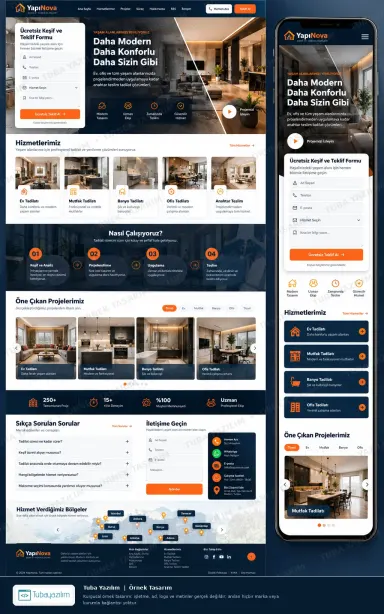
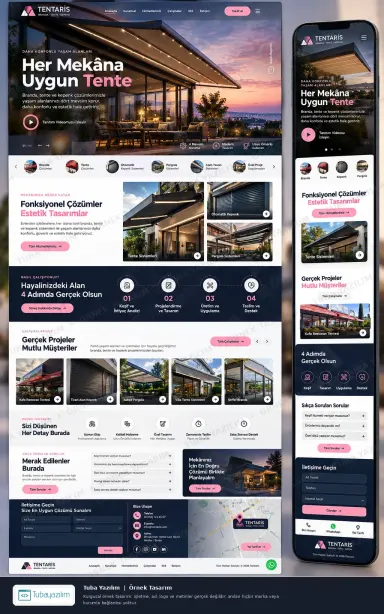
See a sample design for your own business
Browse fictional sample designs from hundreds of industries. Cannot see your type of business? Tell us what you do on WhatsApp and we will prepare a free sample design for you, with no obligation.